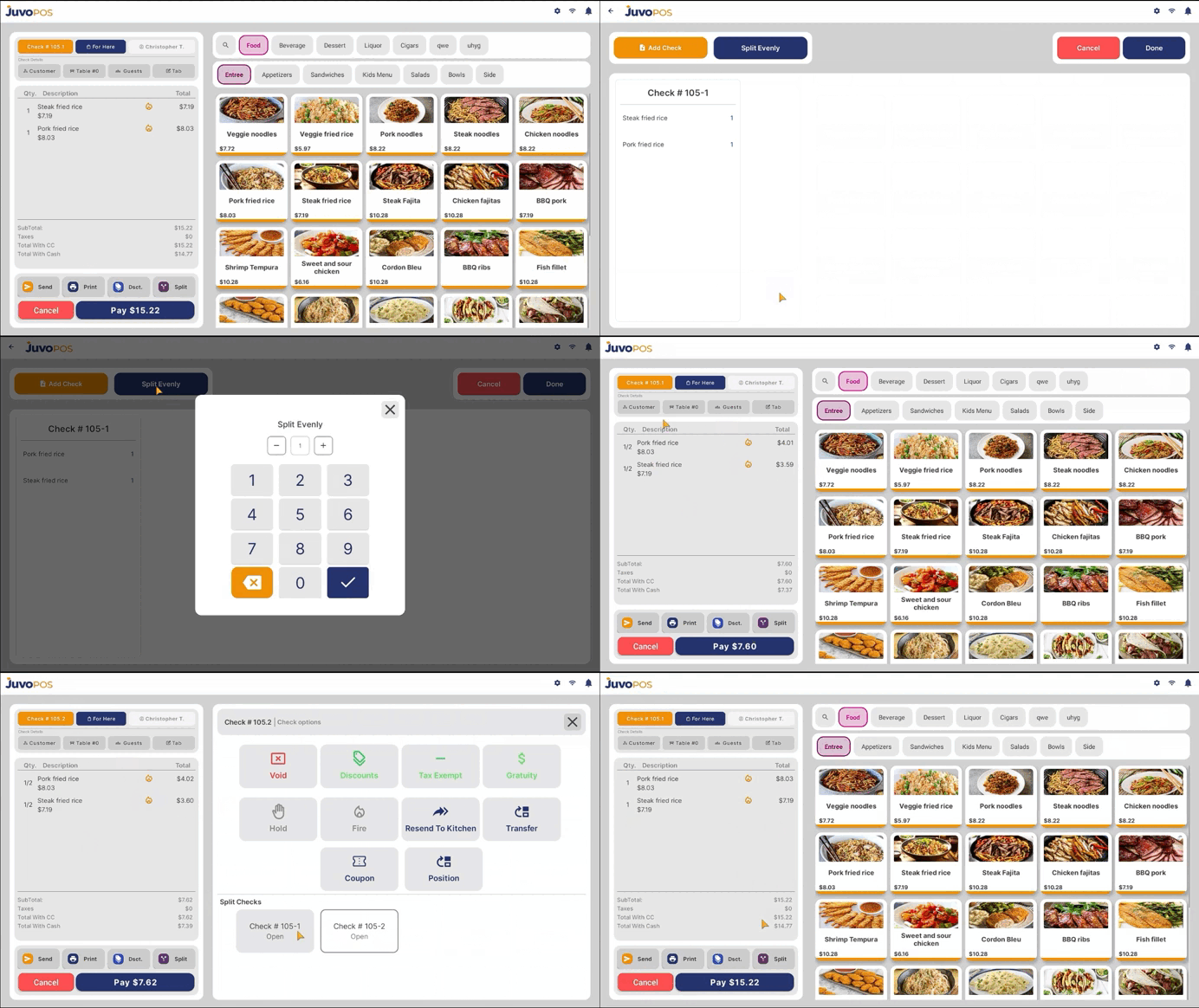
To split an item in the POS:
- Select the item you want to split.
- Tap the Split button.
- Press and hold the item until the split option appears.
- Enter the number of splits you want.
- The item will now be split into the selected number of portions.
If you want to move items to other checks:
- Tap Add Check to create another check.
- Drag and drop the items to the desired check.
- You can verify that the items were split correctly by switching between the different checks.
The items are now successfully split between the checks.
Juvo destinations
Need something else?
Access the Juvo Back Office or connect with our sales team.