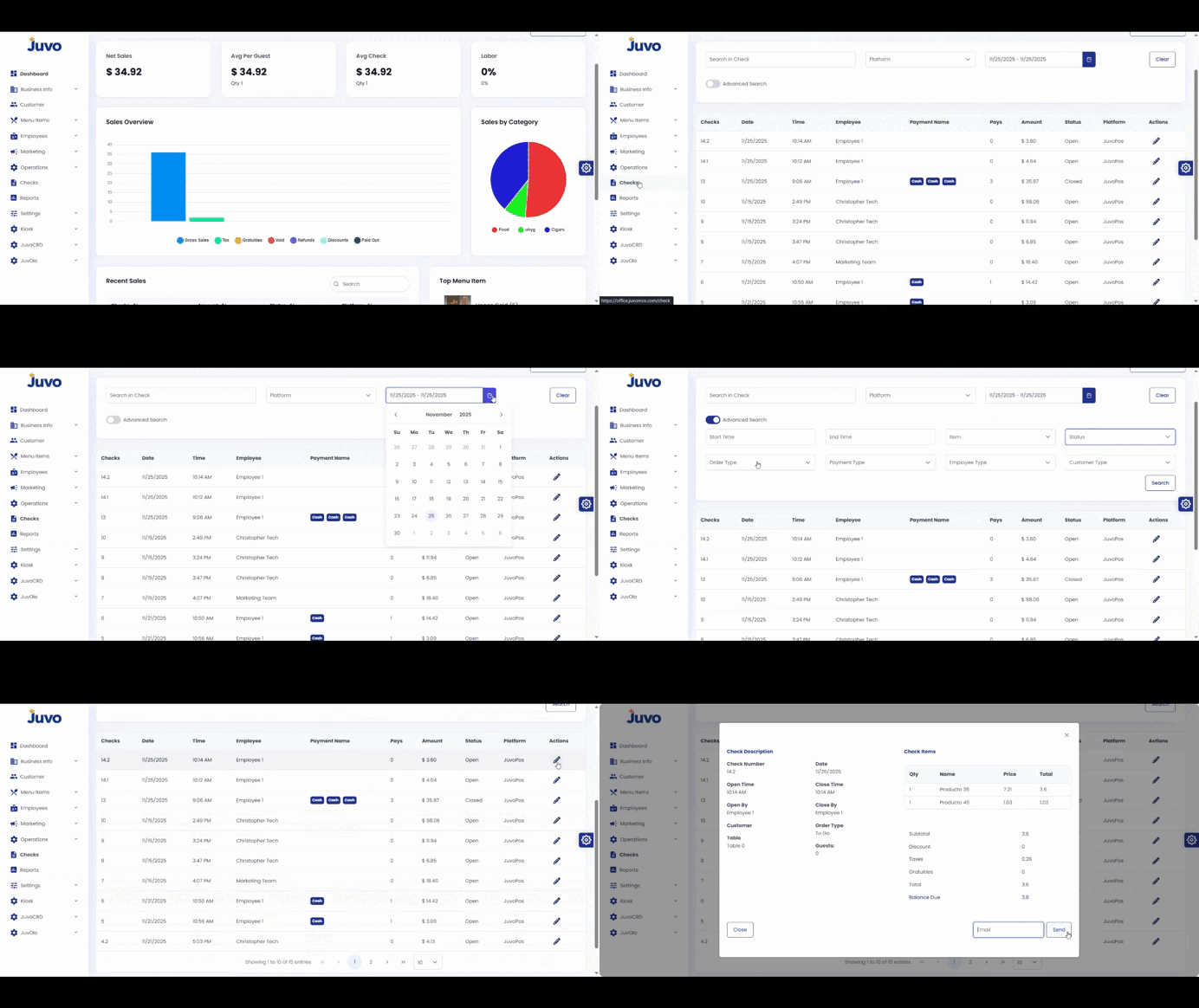
Search and review checks in Juvo Back Office.
- Open Check in the left-hand menu.
- Scroll to the Check section.
- Use Date, Employee, or Order Type filters.
- Open a check to view details or send it by email.
- Use Advanced Filter for more specific searches.
Juvo destinations
Need something else?
Access the Juvo Back Office or connect with our sales team.