In this guide, we will learn how to access customer history in Juvo POS and review important information about returning customers.
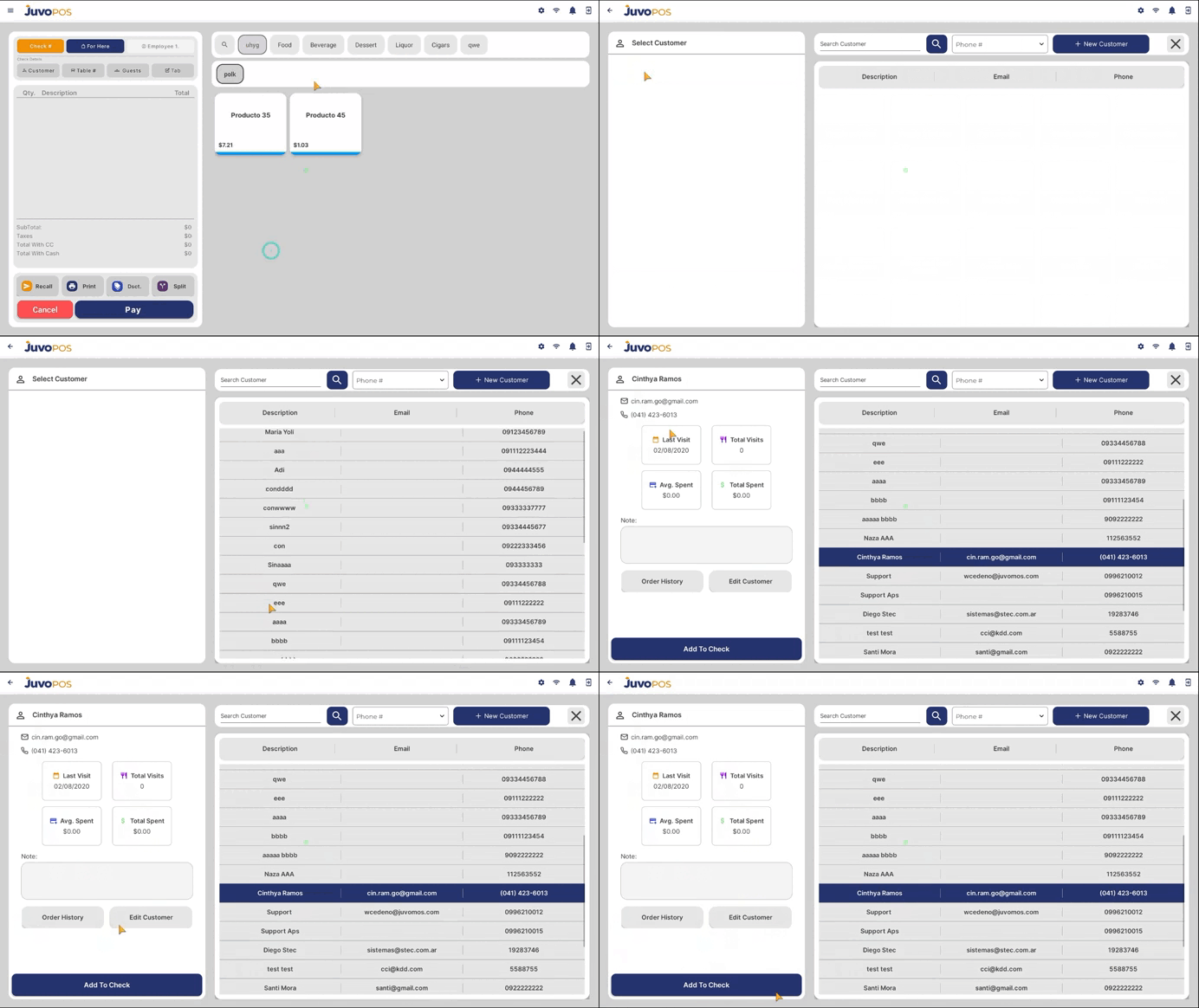
- When creating a new check, navigate to the Customer section.
- Tap the Search icon to view the list of customers previously added to the system.
- Search for and select the customer you want to review.
- Once the customer is selected, you can access their available history and information, including:
- Last Visit: When the customer last visited your business.
- Total Visits: The total number of recorded visits.
- Average Spent: The customer’s average spending amount.
- Additional Information: Other available customer details and visit history.
Juvo POS allows you to save customer information for future visits, making it easier to recognize returning customers, track their visit history, and better understand their spending habits.
Juvo destinations
Need something else?
Access the Juvo Back Office or connect with our sales team.