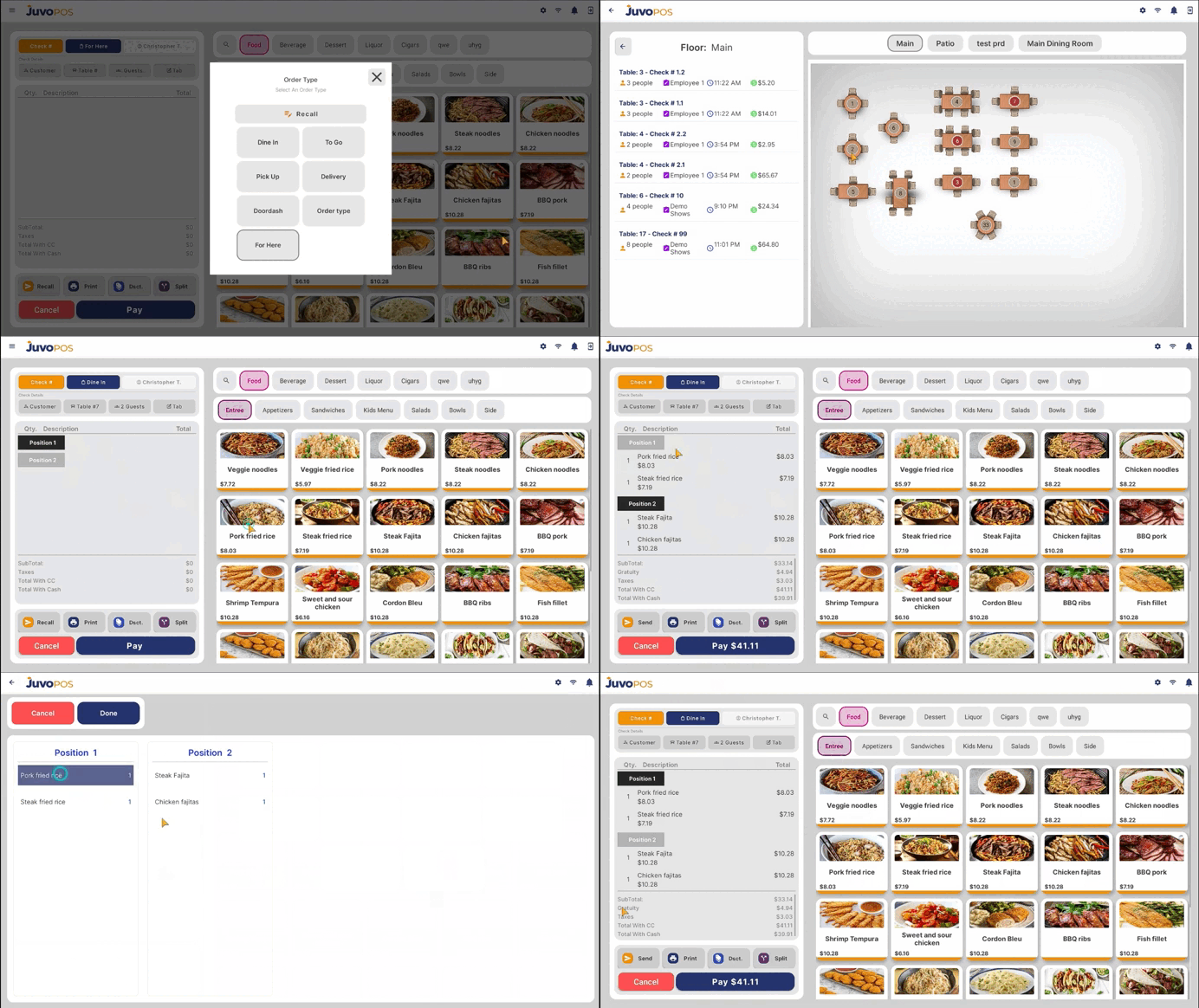
In this guide, we will learn how to use the Positions feature in Juvo POS to assign items to individual guests and simplify check splitting.
- Make sure the Positions feature is enabled in the Back Office (BO).
- Open a check and begin assigning items to the appropriate guest position.
- Select Position 1 and assign the items ordered by the first guest.
- Tap Position 2 and continue assigning the items ordered by the second guest. Repeat this process for each additional guest as needed.
- Once all items have been assigned to their respective positions, you can easily split the check so each guest can pay for their own items.
The Positions feature helps organize orders by guest, making it easier to manage shared checks and ensure each client pays for what they ordered.
Juvo destinations
Need something else?
Access the Juvo Back Office or connect with our sales team.