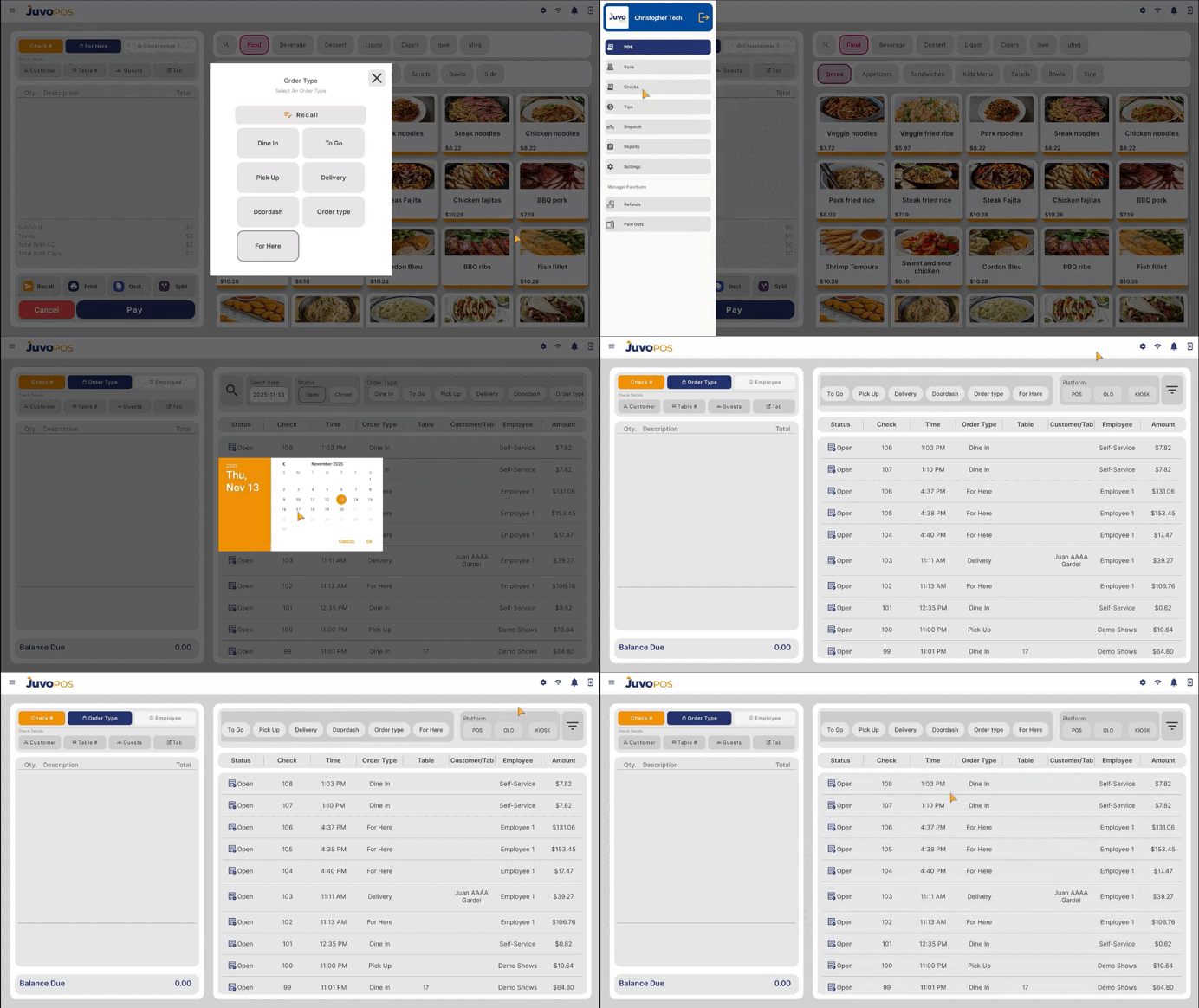
In this guide, we will learn how to access and manage all checks in Juvo POS.
- From the main POS screen, open the Functions menu.
- Select Checks to access the list of checks.
- Use the available search and filter options to quickly find specific checks based on your needs.
- Take advantage of Juvo’s multiplatform functionality to filter checks by their source: POS, Kiosk, or OLO (Online Ordering).
Juvo destinations
Need something else?
Access the Juvo Back Office or connect with our sales team.