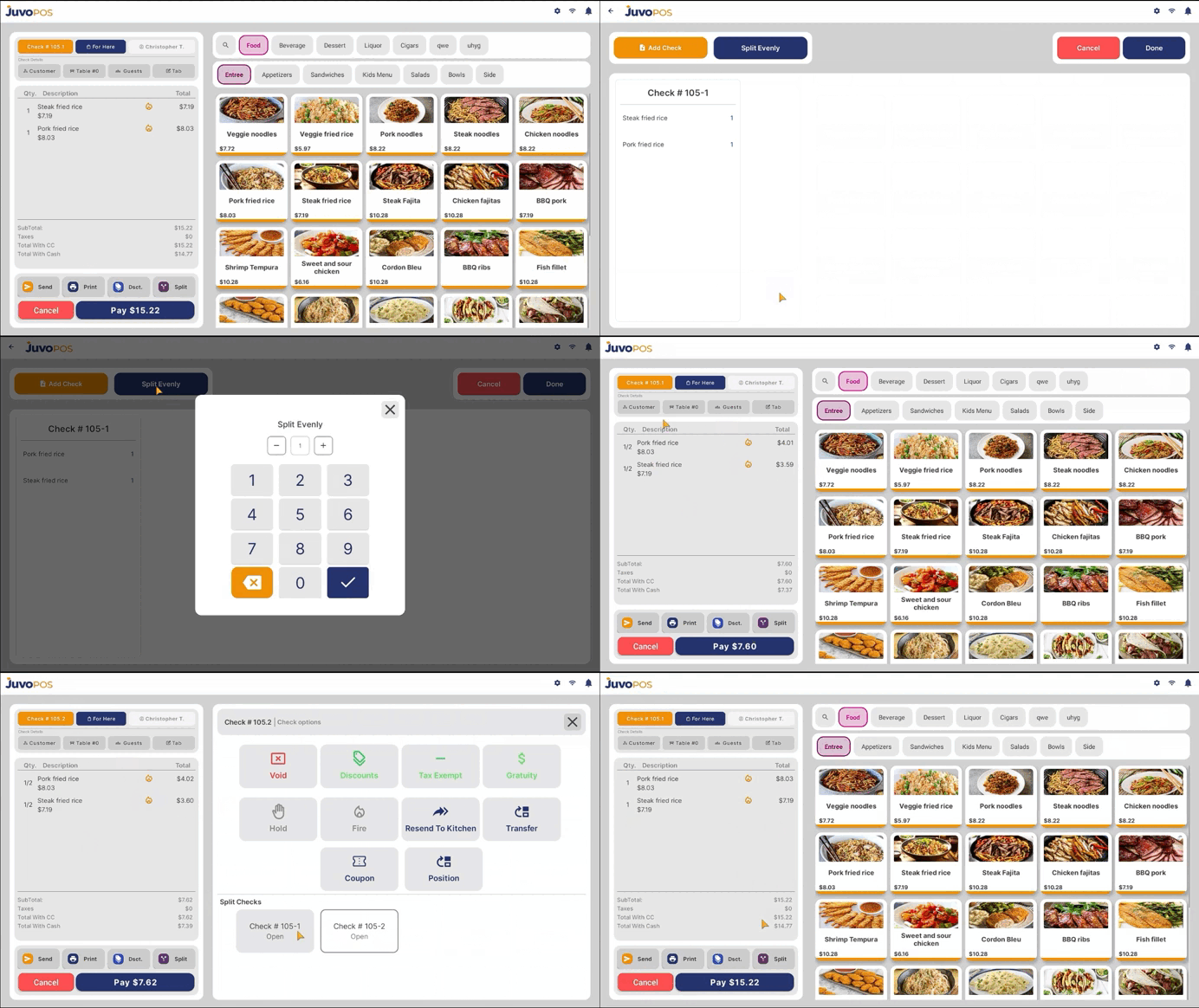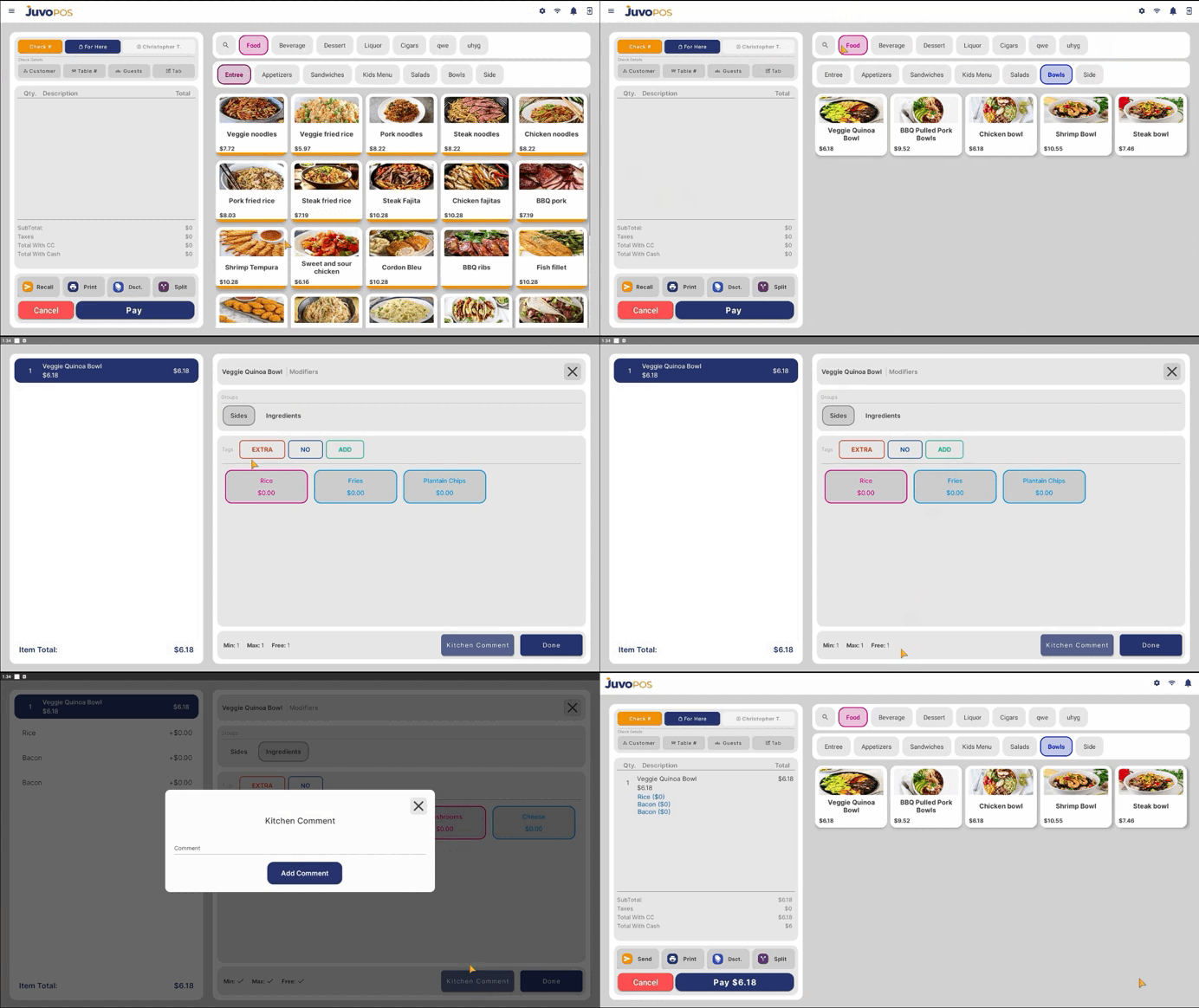
In this guide, we will learn how to split a payment in Juvo POS, allowing customers to pay for a check using multiple payments.
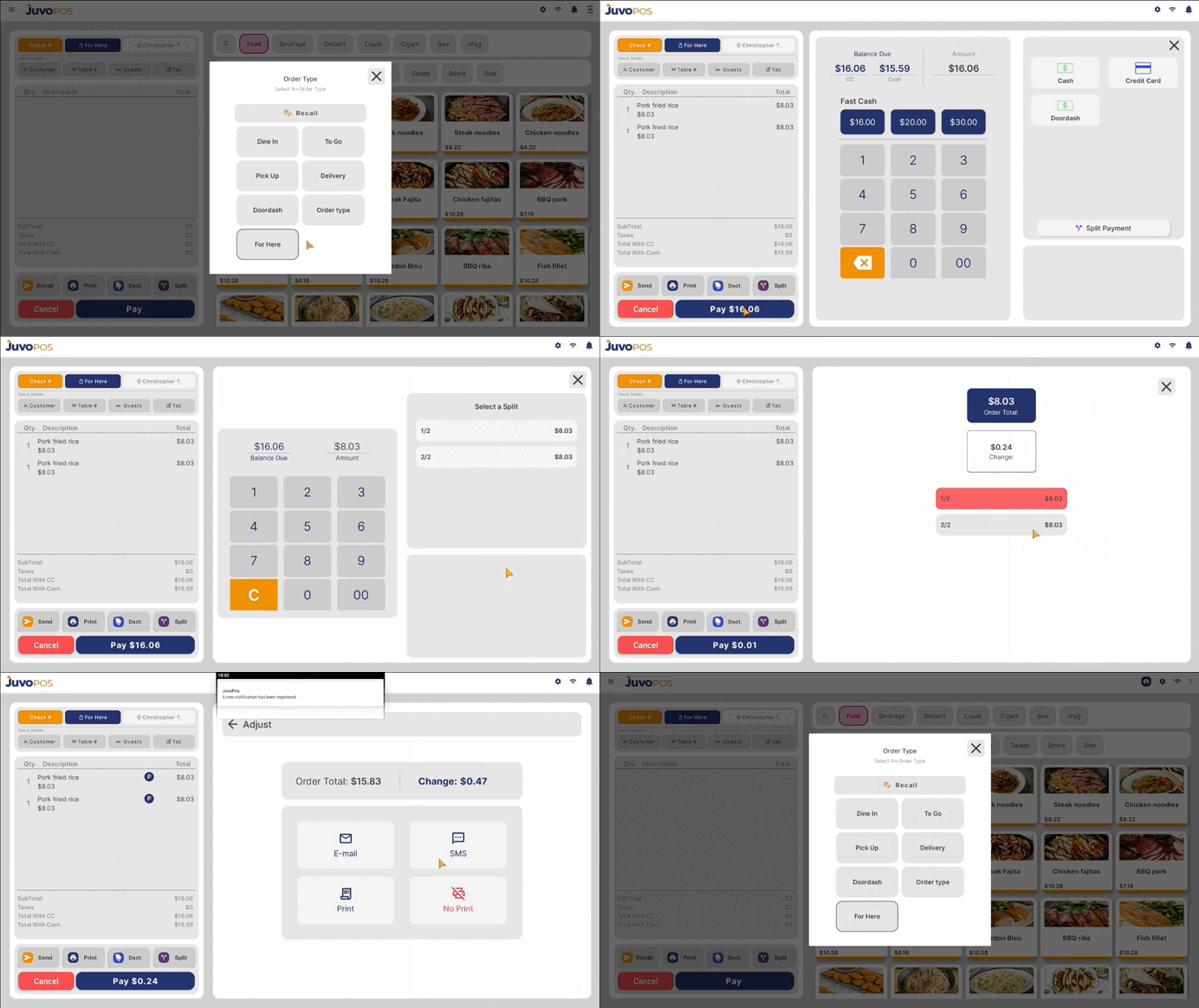
- Open the check you want to pay and proceed to Checkout.
- Select Split Payment to begin dividing the check total.
- Choose how you want to split the payment: Split Evenly to divide the total into equal portions, or Custom Amounts to enter specific amounts for each payment.
- Select the payment method for each portion. Depending on your needs, you can use Cash, Card, or a combination of payment methods.
- Process each payment portion individually until the full check balance has been paid.
- Confirm that the remaining balance is zero to ensure the check has been fully paid.
The Split Payment feature provides flexibility at checkout, making it easier for multiple customers to share a check or pay using different payment methods.