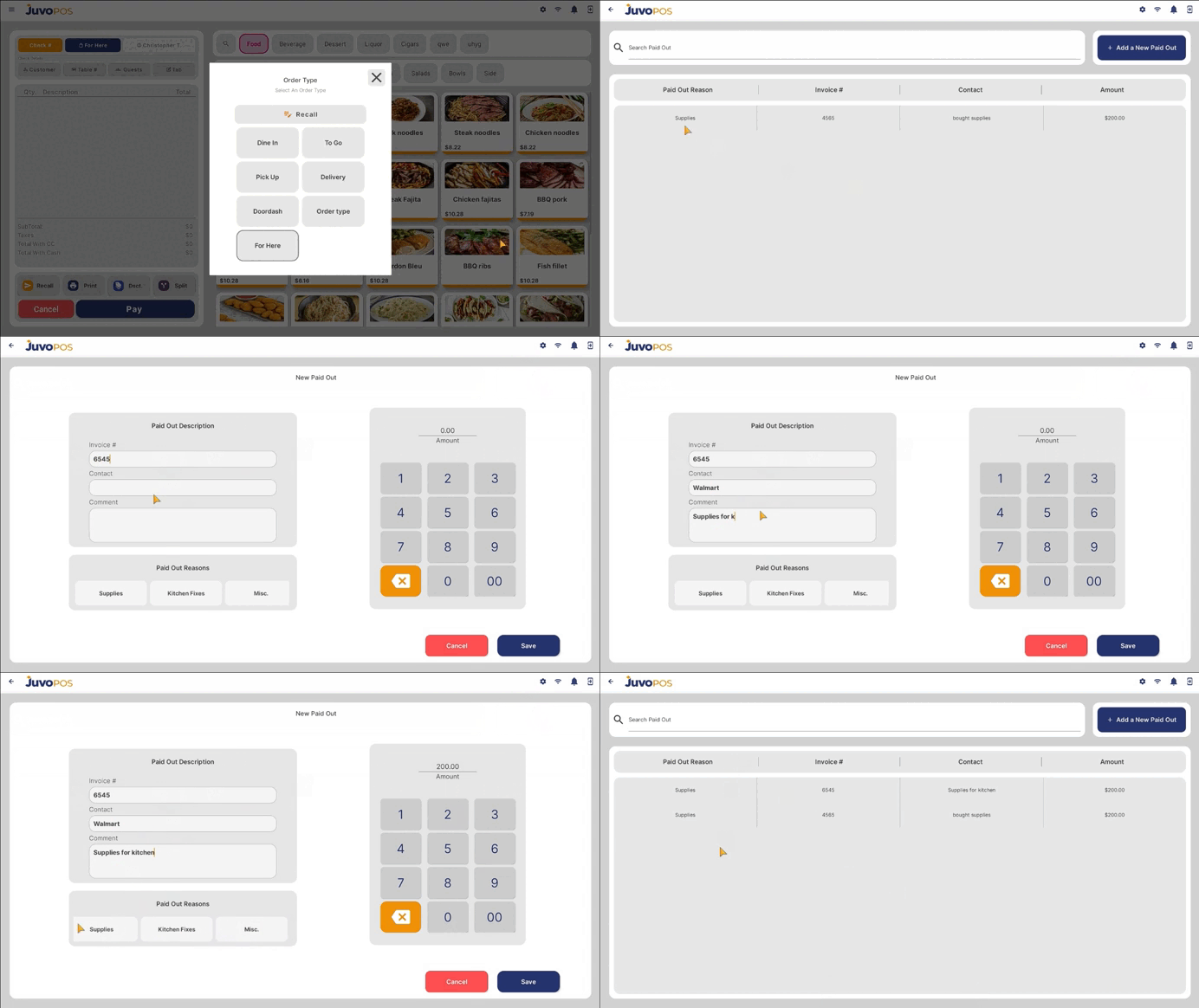
In this guide, we will learn how to record a Paid Out transaction in Juvo POS to document money taken out of the register for business-related expenses or other purposes.
- From the main POS screen, open the Functions menu.
- Select Bank, then choose Paid Outs.
- Enter the required transaction details:
- Amount: Enter the amount being paid out.
- Reason: Select or enter the reason for the transaction.
- Invoice: Enter the invoice number, if applicable.
- Comment: Add any additional notes or details about the transaction.
- Contact: Select the contact associated with the transaction.
- Review the information entered to ensure all details are correct.
- Confirm the transaction to record the Paid Out in the system.
Recording Paid Outs in Juvo POS helps track cash removed from the register and maintain accurate records of business expenses and cash movements.
Juvo destinations
Need something else?
Access the Juvo Back Office or connect with our sales team.