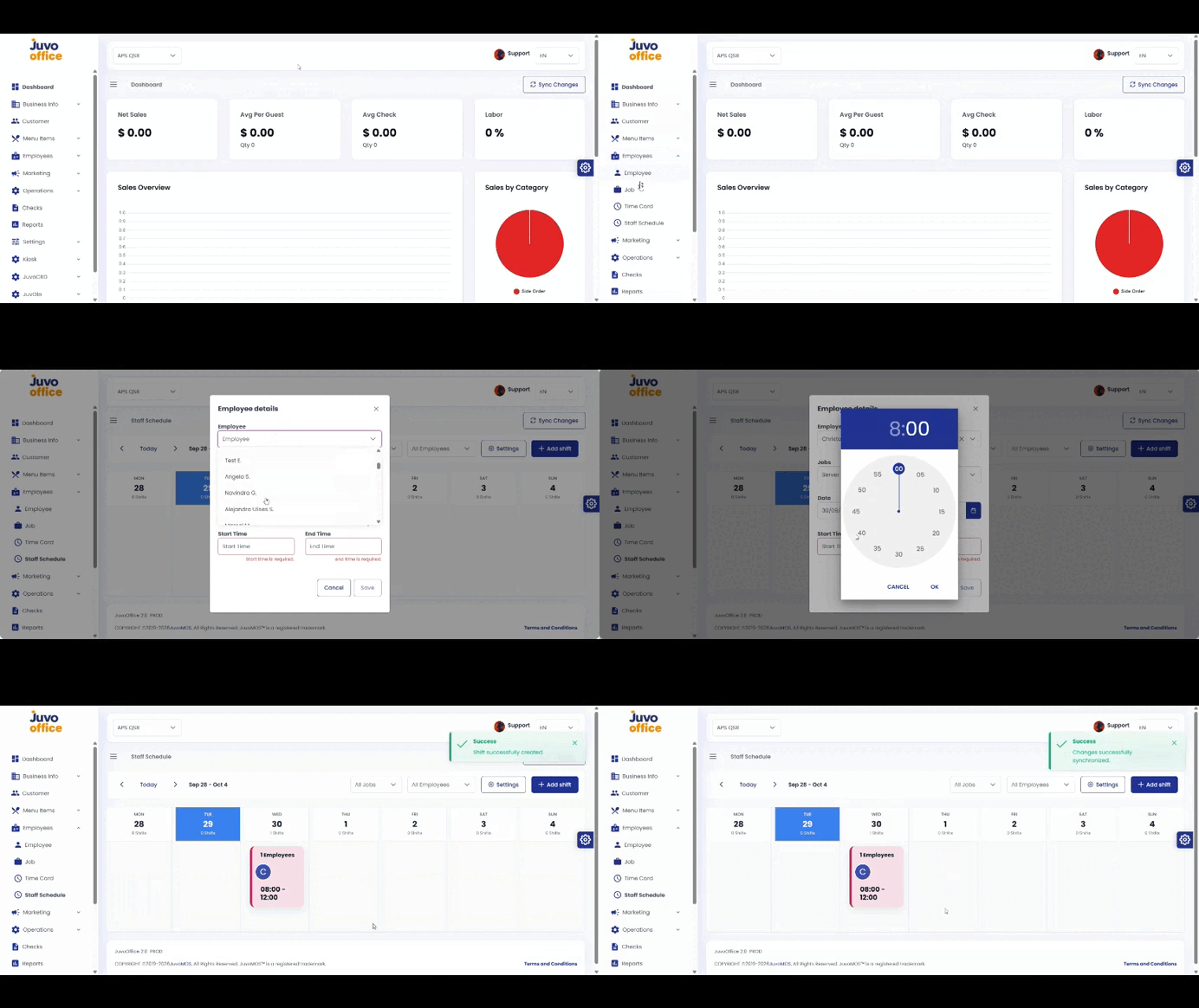
Create employee schedules in Juvo Back Office so employees can view them on the POS Time Clock.
- Open Employees → Staff Schedule.
- Click Add Shift.
- Select the employee and review the automatically populated job.
- Choose the date, start time, and end time.
- Review and click Save.
- Sync the POS after creating or updating the schedule.
Juvo destinations
Need something else?
Access the Juvo Back Office or connect with our sales team.