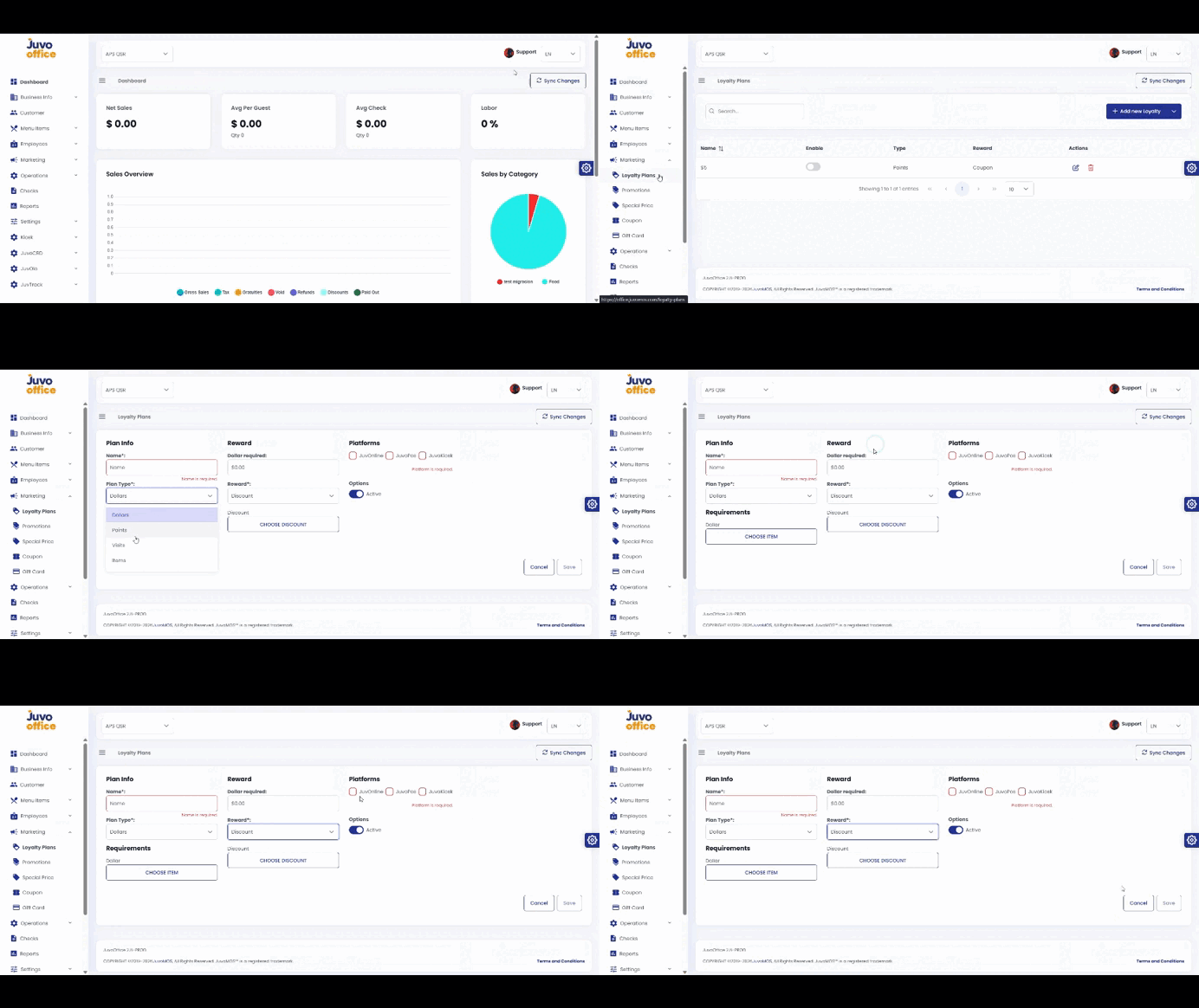
Create a Loyalty Plan with rewards for customers.
- Open Marketing → Loyalty Plan.
- Enter the plan name.
- Select Dollars, Points, Visits, or Items.
- Configure the requirements and reward.
- Select POS, OLO, or KIOSK.
- Set the plan Active or Inactive.
- Review and save.
Juvo destinations
Need something else?
Access the Juvo Back Office or connect with our sales team.