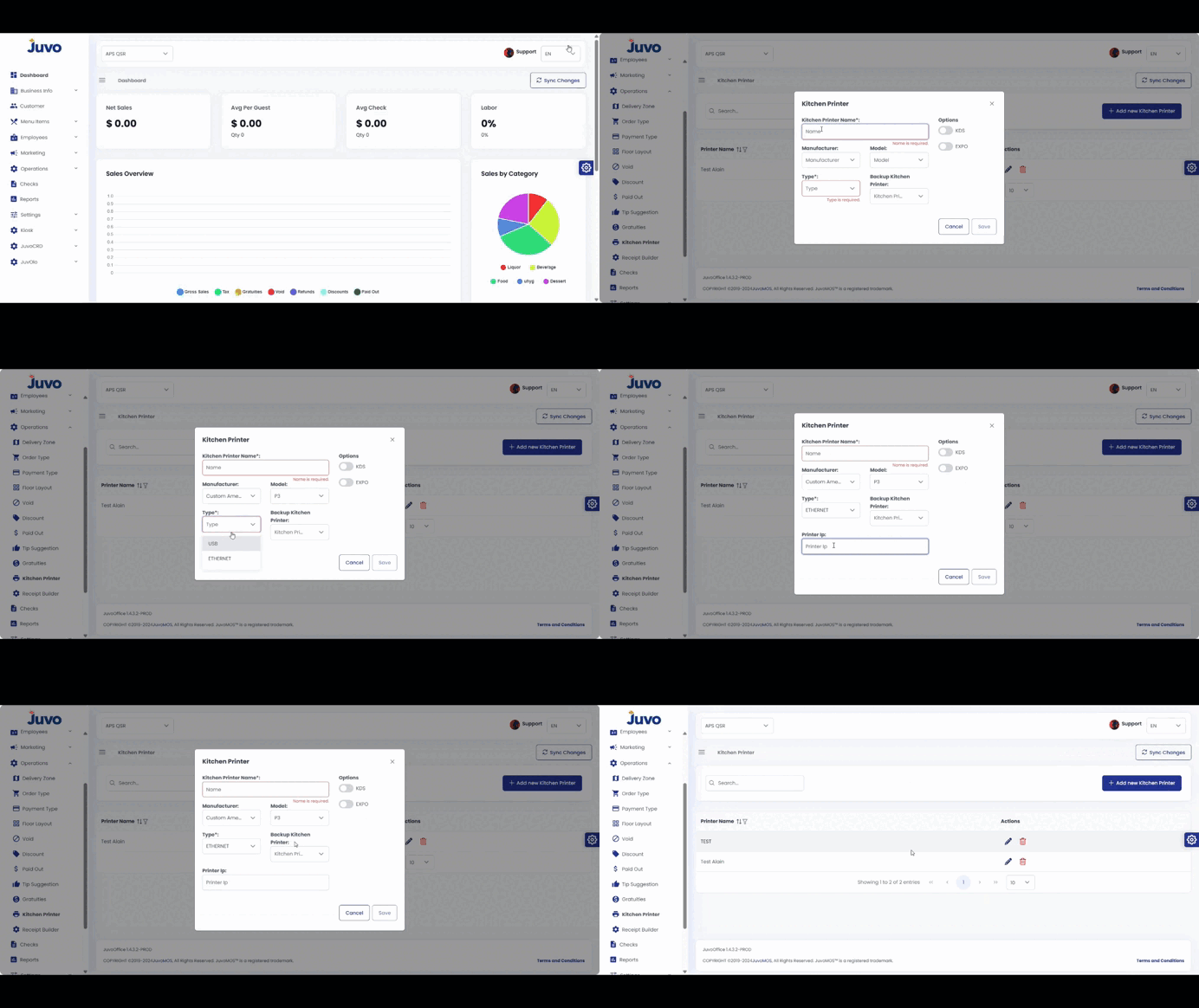
Register kitchen printers and configure backup printers, KDS, and EXPO stations.
- Open Operations → Kitchen Printer.
- Click Add New Kitchen Printer.
- Enter the name, manufacturer, type, and model.
- Select a backup printer when applicable.
- Configure KDS and EXPO.
- Review and save.
Juvo destinations
Need something else?
Access the Juvo Back Office or connect with our sales team.