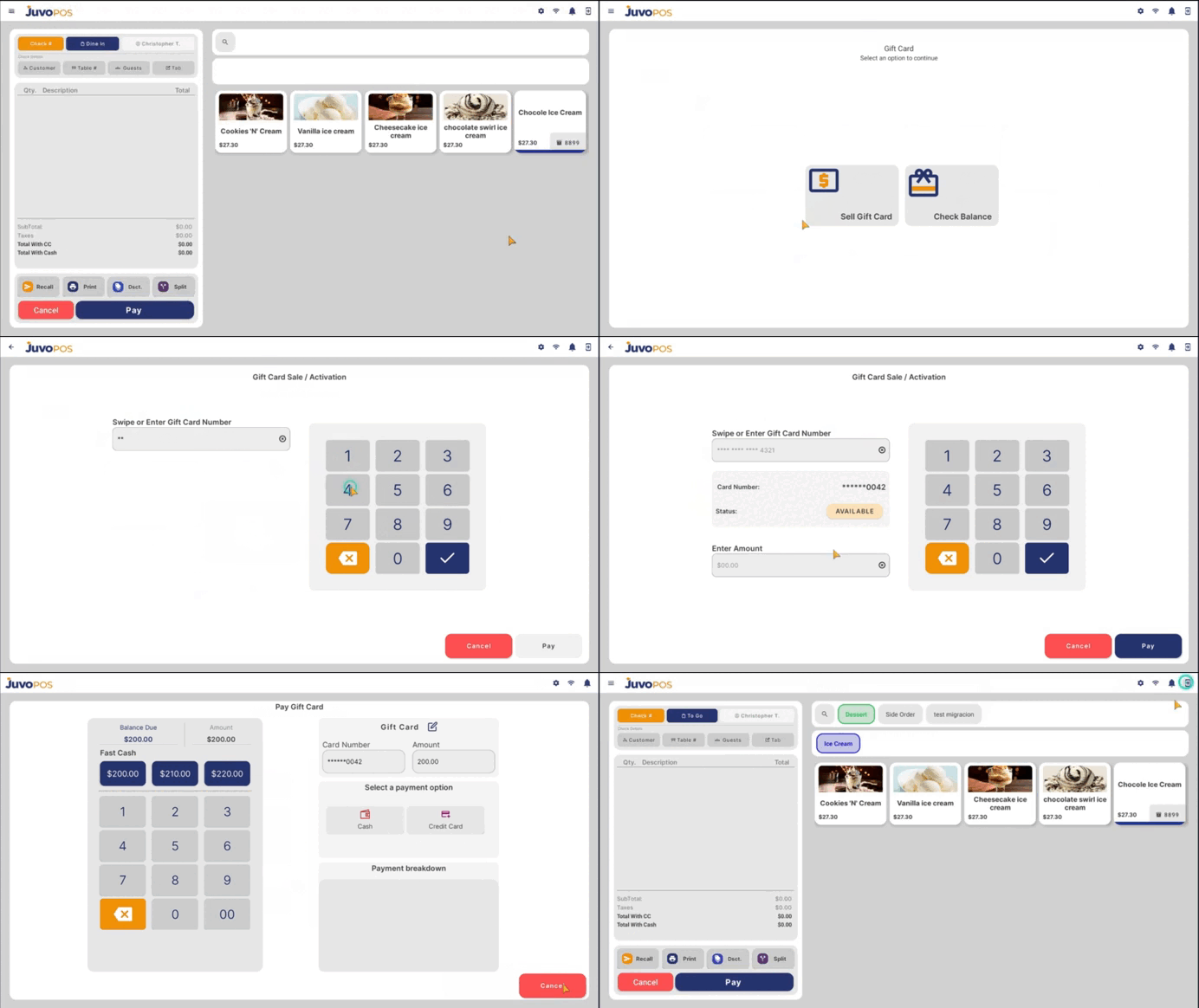
After the gift cards have been successfully uploaded in the Back Office, use the POS to activate or sell a gift card or check its balance.
1 Activate or Sell a Gift Card
- Go to the POS.
- Open the Functions Menu.
- Select BANK.
- Select Gift Cards.
- Enter the number of a gift card that was previously uploaded in the Back Office.
- Select the gift card you want to activate or sell.
- Follow the POS prompts to complete the transaction.
- Complete the sale according to the normal POS process.
Navigation: Functions Menu → BANK → Gift Cards
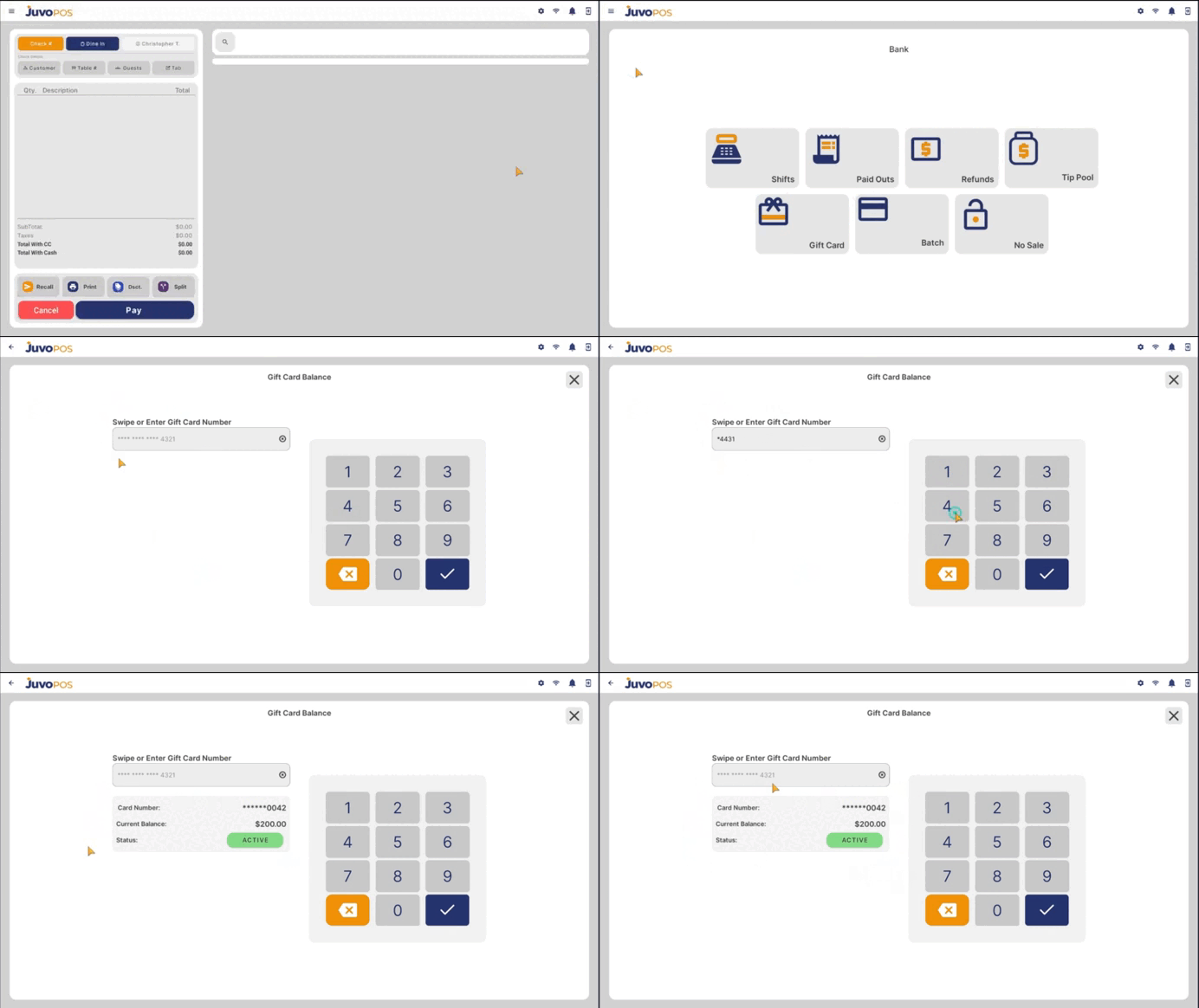
2 Check Gift Card Balance
- Open the POS Functions Menu.
- Select BANK.
- Select Gift Cards.
- Enter the gift card number.
- Select the option to check the balance.
- Review the balance displayed by the system.
Juvo destinations
Need something else?
Access the Juvo Back Office or connect with our sales team.