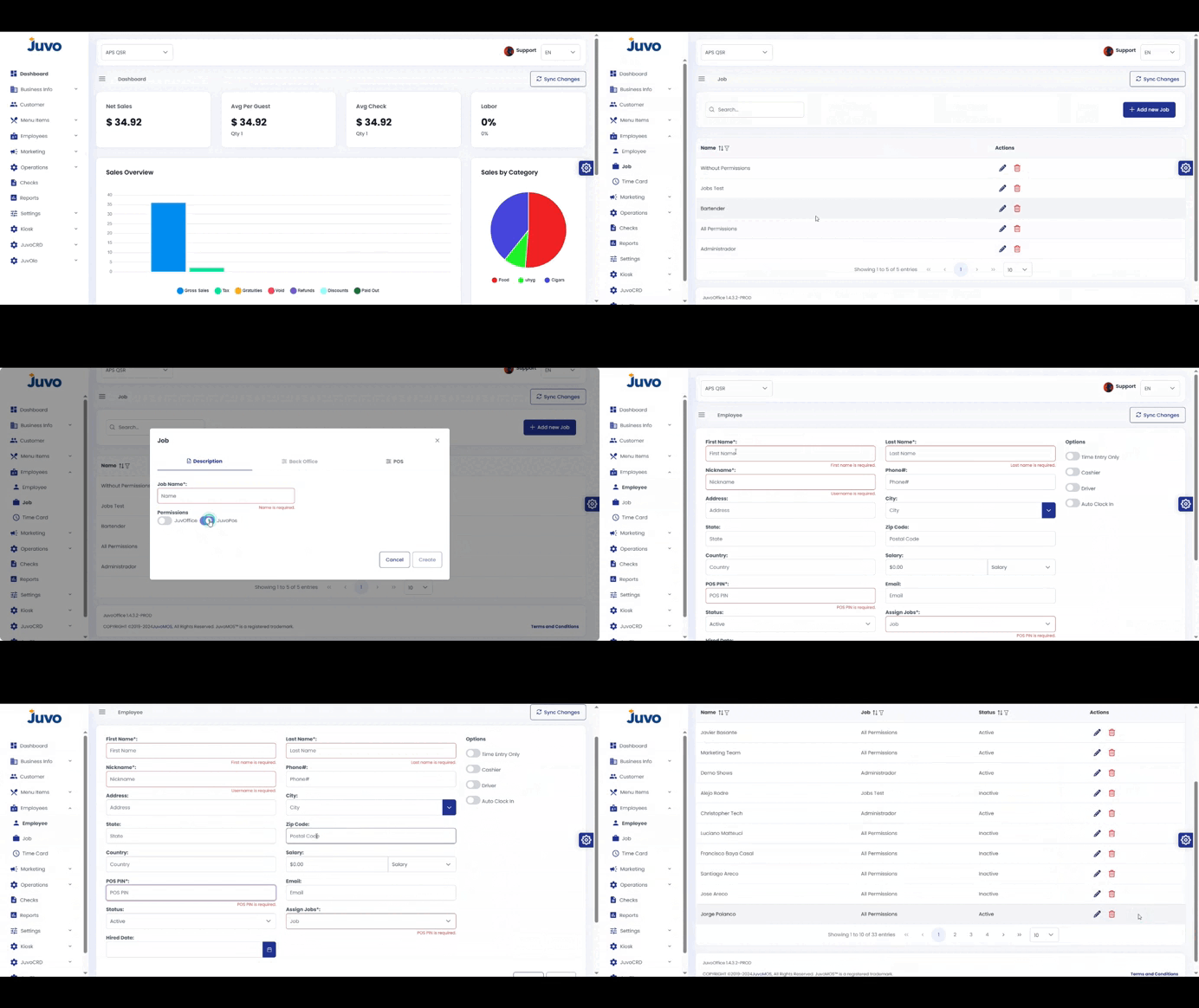
Create employees and manage their roles and time records.
- Open Employees.
- Select Employee and click Add Employee.
- Enter contact information and a login PIN.
- Open Job/Roles to assign permissions.
- Use Time Cards to review, edit, or approve hours.
Juvo destinations
Need something else?
Access the Juvo Back Office or connect with our sales team.