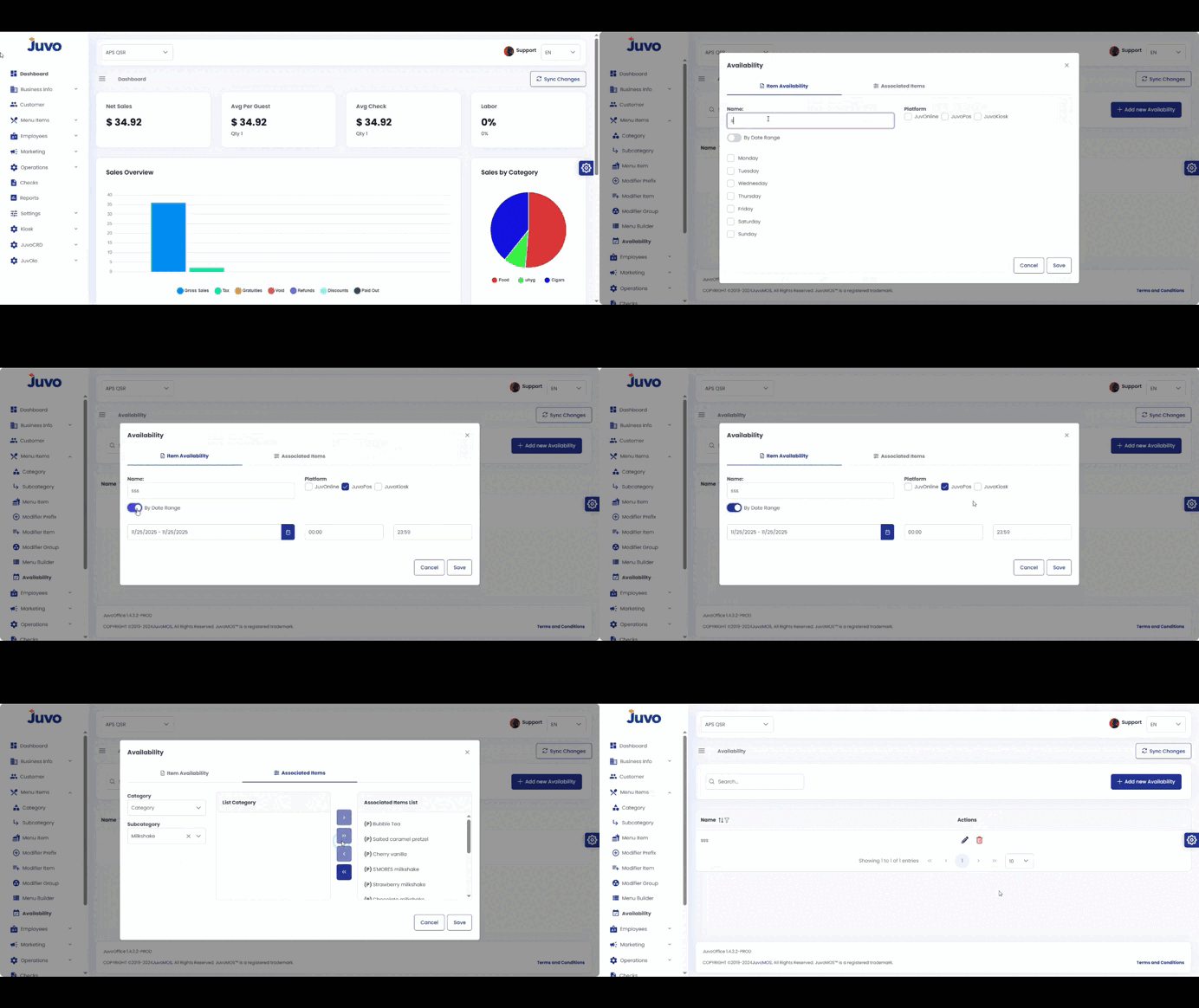
Control when menu items appear on the POS.
- Open Menu Items → Availability.
- Choose a menu item, category, or modifier group.
- Click Edit Availability or Add Schedule.
- Set days and time ranges.
- Optionally add seasonal date ranges.
- Click Save, then Publish or Push to Devices.
- Verify in Preview or on the POS.
Juvo destinations
Need something else?
Access the Juvo Back Office or connect with our sales team.