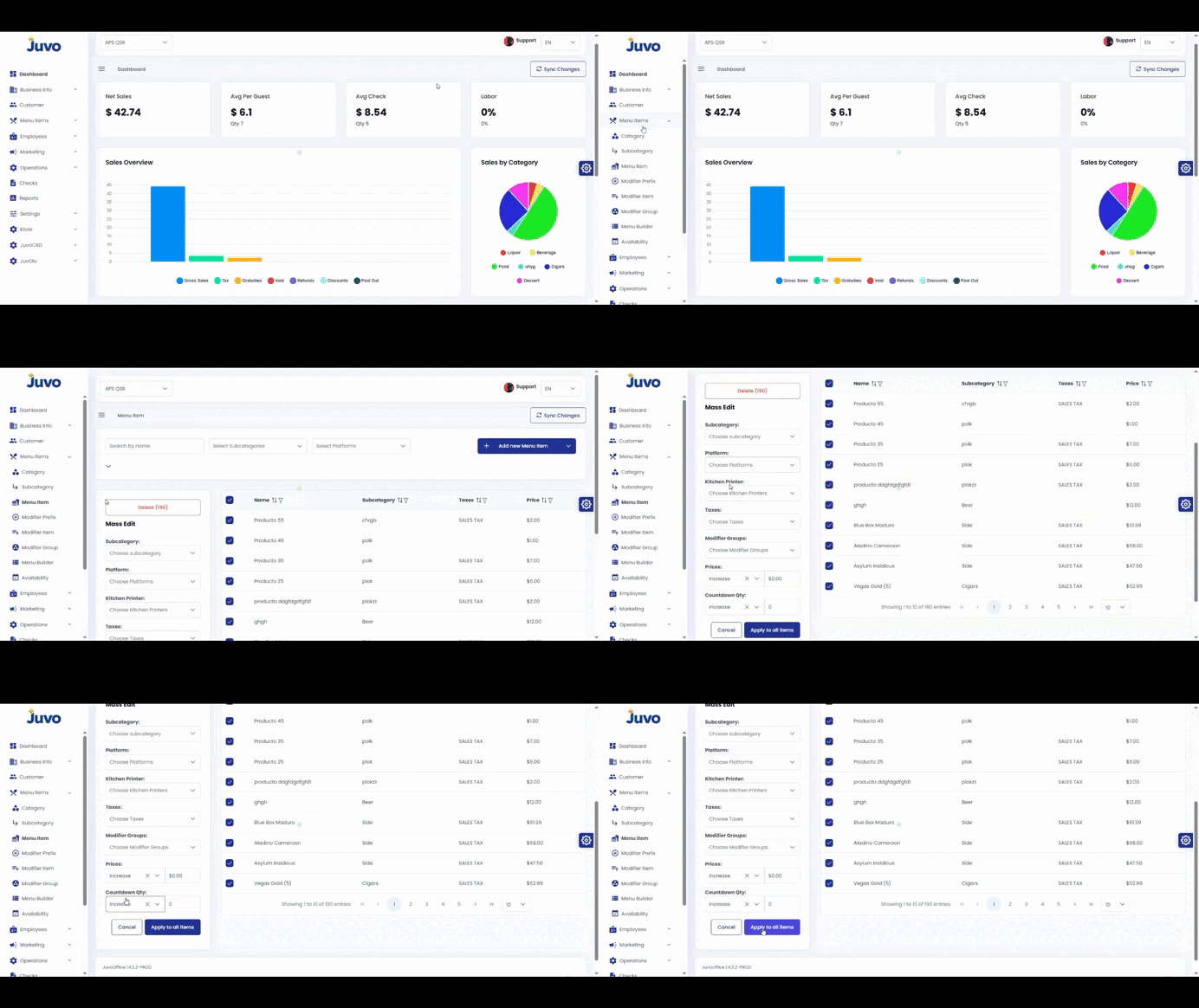
Edit multiple menu items efficiently.
- Open Menu Items.
- Locate the items to modify.
- Select the checkbox next to each item.
- Use the Mass Edit options.
- Review the selected items and apply or save the changes.
Note: Double-check the selection before applying changes.
Juvo destinations
Need something else?
Access the Juvo Back Office or connect with our sales team.