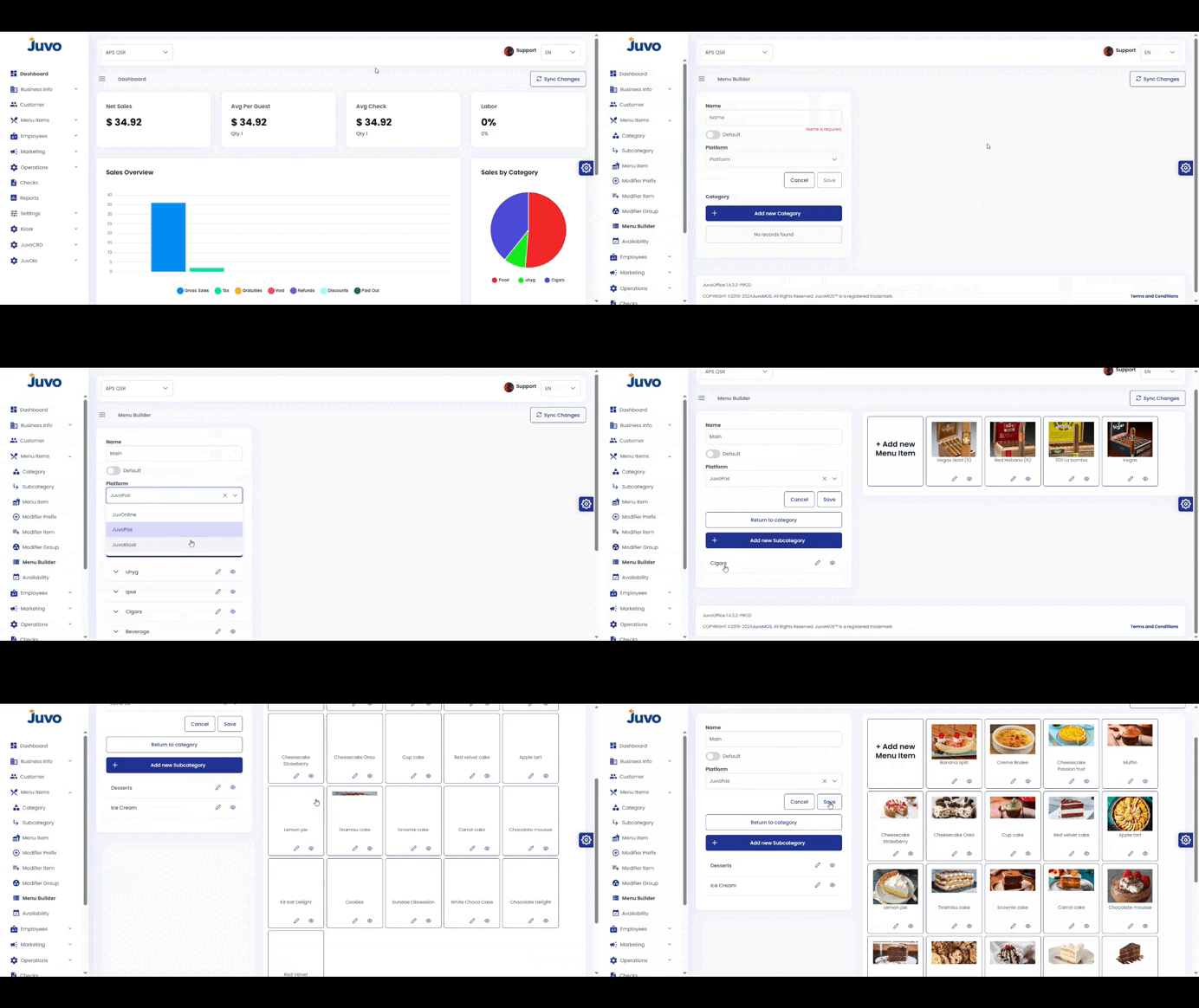
Customize the menu layout used by staff on POS and Kiosk.
- Open Menu Items → Menu Builder.
- Select an existing layout or create a new one.
- Use drag and drop to arrange categories, sections, and item buttons.
- Create categories, subcategories, or items when needed.
- Edit individual items and select whether the menu is Default.
- Click Save, then Publish or Push to Devices.
- Test the layout on one device before rolling it out.
Juvo destinations
Need something else?
Access the Juvo Back Office or connect with our sales team.