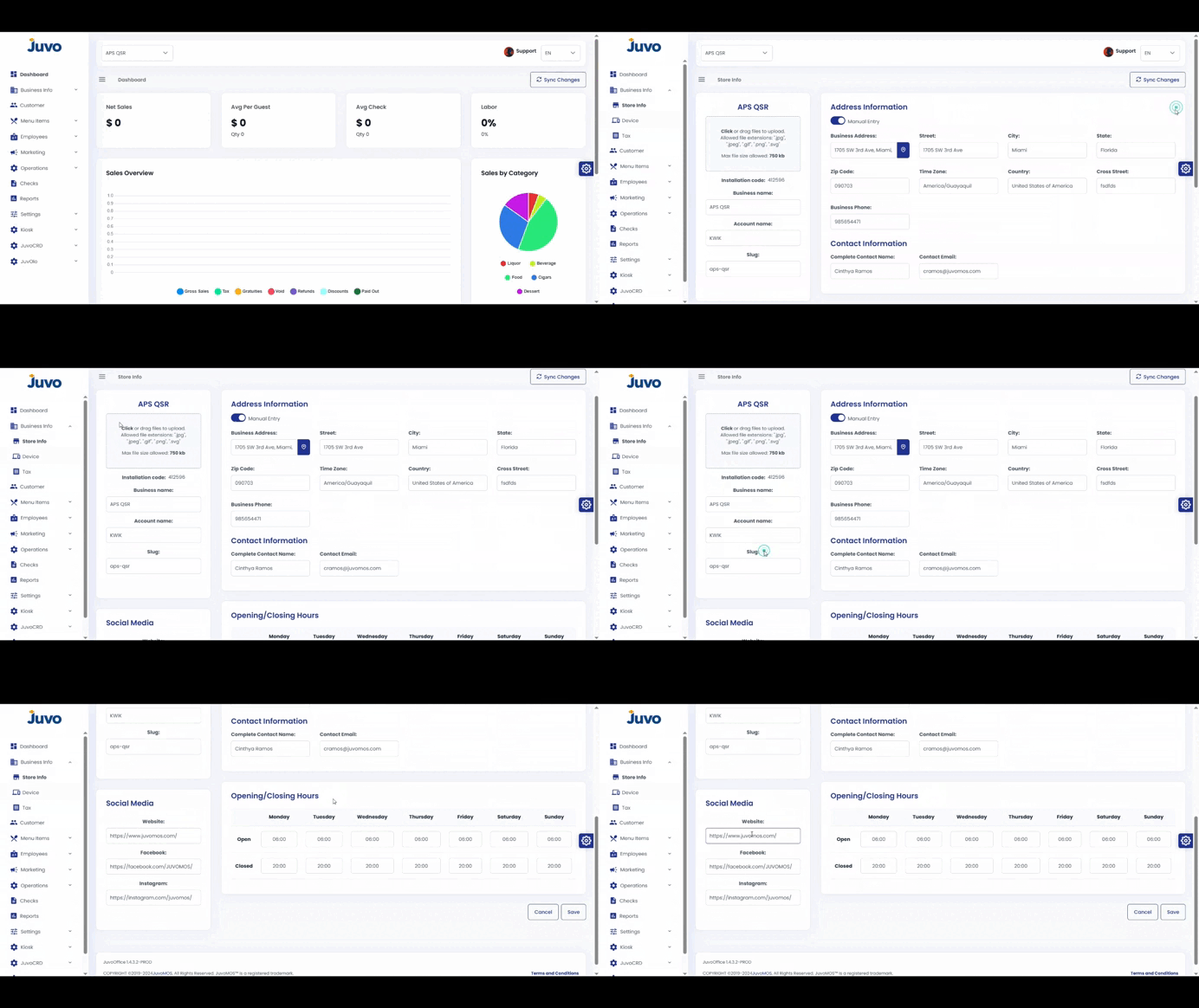
View and update your store information in Juvo Back Office.
- Open Business Info.
- Select Store Info.
- Click Edit in the top-right corner.
- Update the name, address, phone, email, or other details.
- Review and click Save.
Note: Confirm that the information is correct before saving.
Juvo destinations
Need something else?
Access the Juvo Back Office or connect with our sales team.