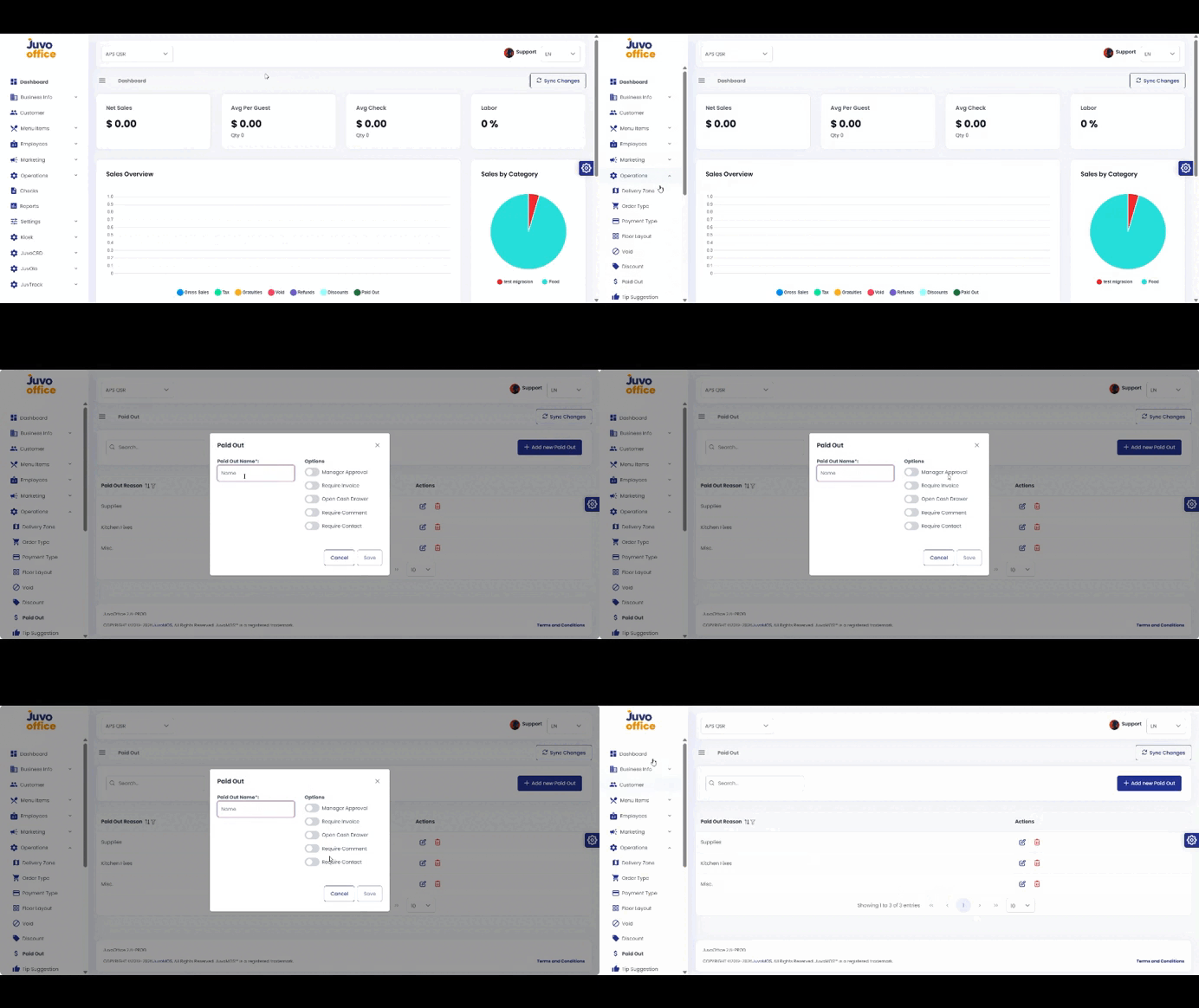
Create Paid Out reasons for money removed from the cash drawer.
- Open Operations → Paid Out.
- Click Add New Paid Out.
- Enter a reason name.
- Configure Manager Approval, Required Invoice, Open Cash Drawer, Require Comment, and Require Contact.
- Review and save.
Juvo destinations
Need something else?
Access the Juvo Back Office or connect with our sales team.