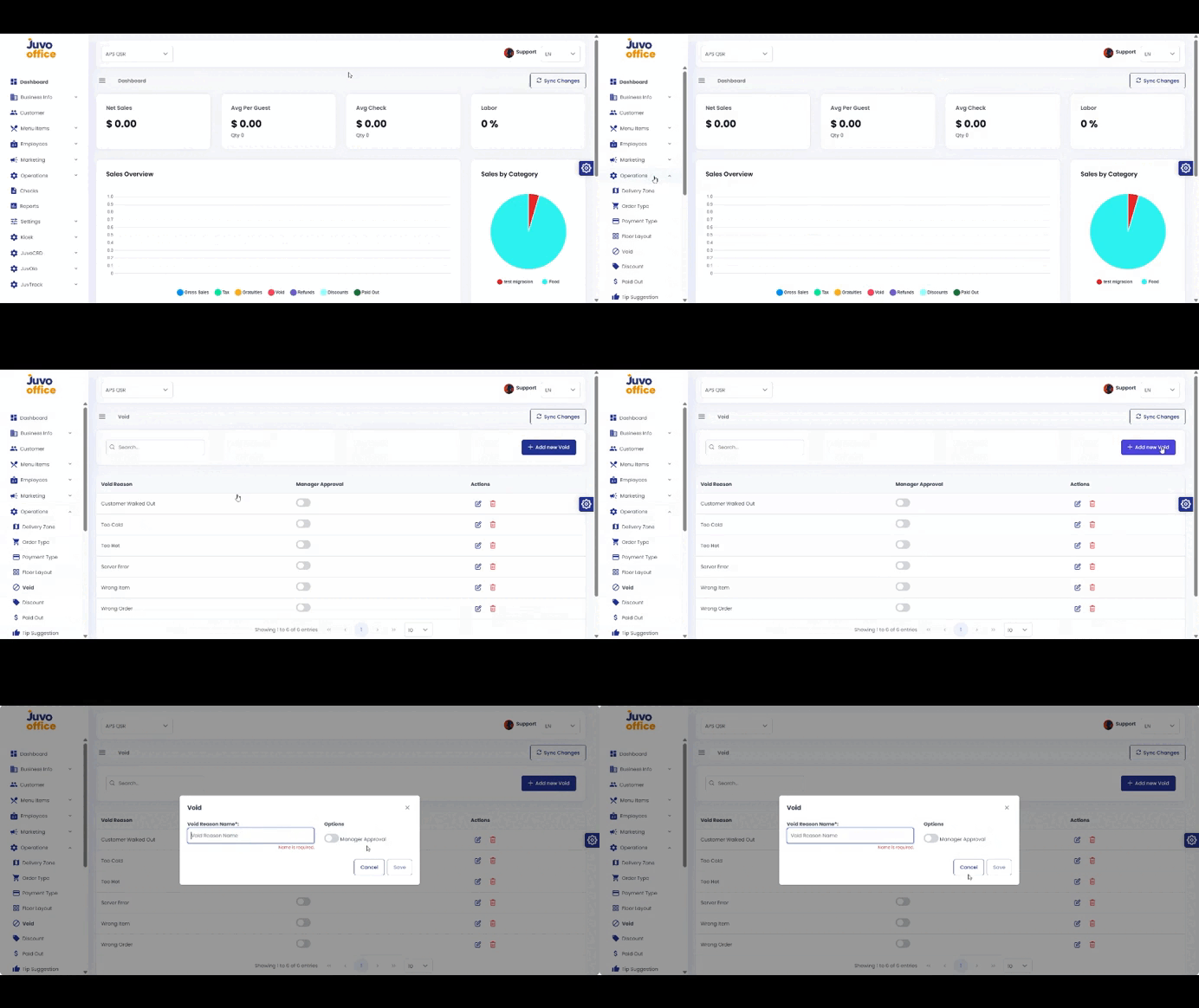
Create reasons staff must select when voiding items or transactions.
- Open Operations → Void.
- Create a new void reason.
- Enter a clear name, such as Incorrect Order or Customer Changed Mind.
- Configure Manager Approval.
- Review and save.
Juvo destinations
Need something else?
Access the Juvo Back Office or connect with our sales team.