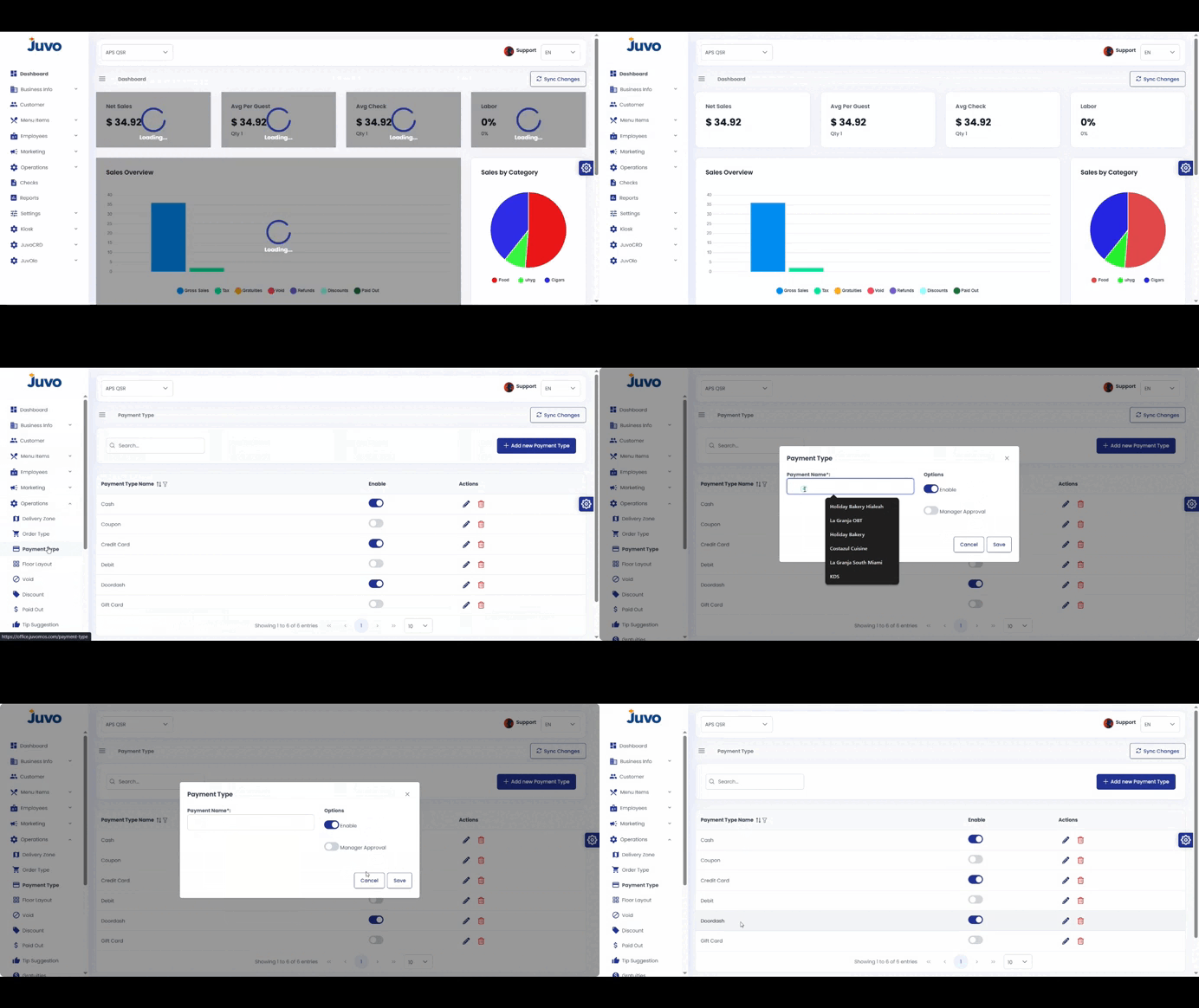
Configure payment methods available in the POS.
- Open Operations → Payment Type.
- Click Add New Payment Type.
- Enter the name.
- Set Enabled and Manager Approval as needed.
- Review and save.
Juvo destinations
Need something else?
Access the Juvo Back Office or connect with our sales team.