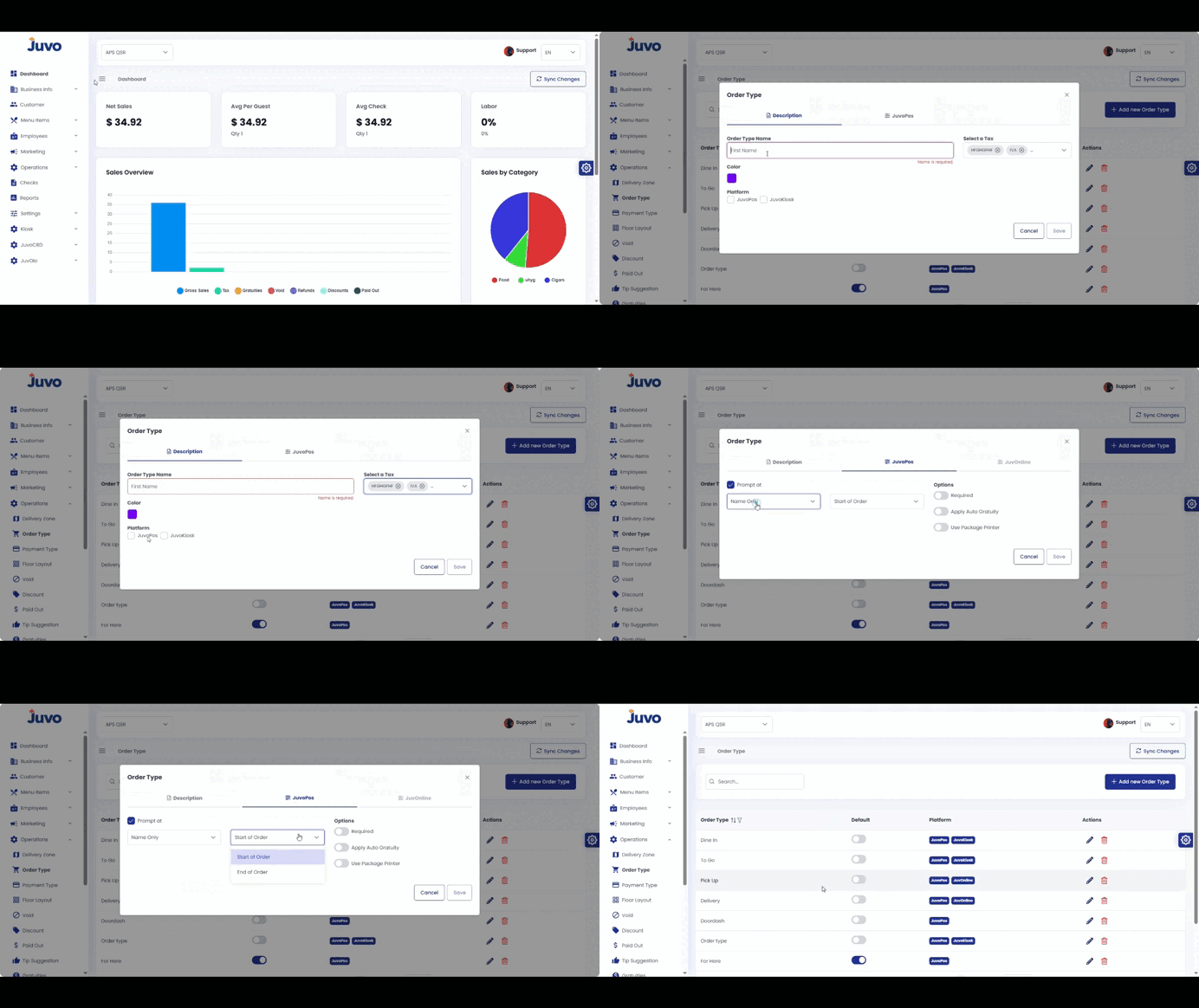
Create order types such as Dine In, Takeout, or Delivery.
- Open Operations → Order Type.
- Click Add New Order Type.
- Enter the name.
- Select the tax configuration and color.
- Select the available platforms.
- Configure POS options such as Customer Lookup, Required, Auto Gratuity, and Package Printer.
- Review and save.
Juvo destinations
Need something else?
Access the Juvo Back Office or connect with our sales team.