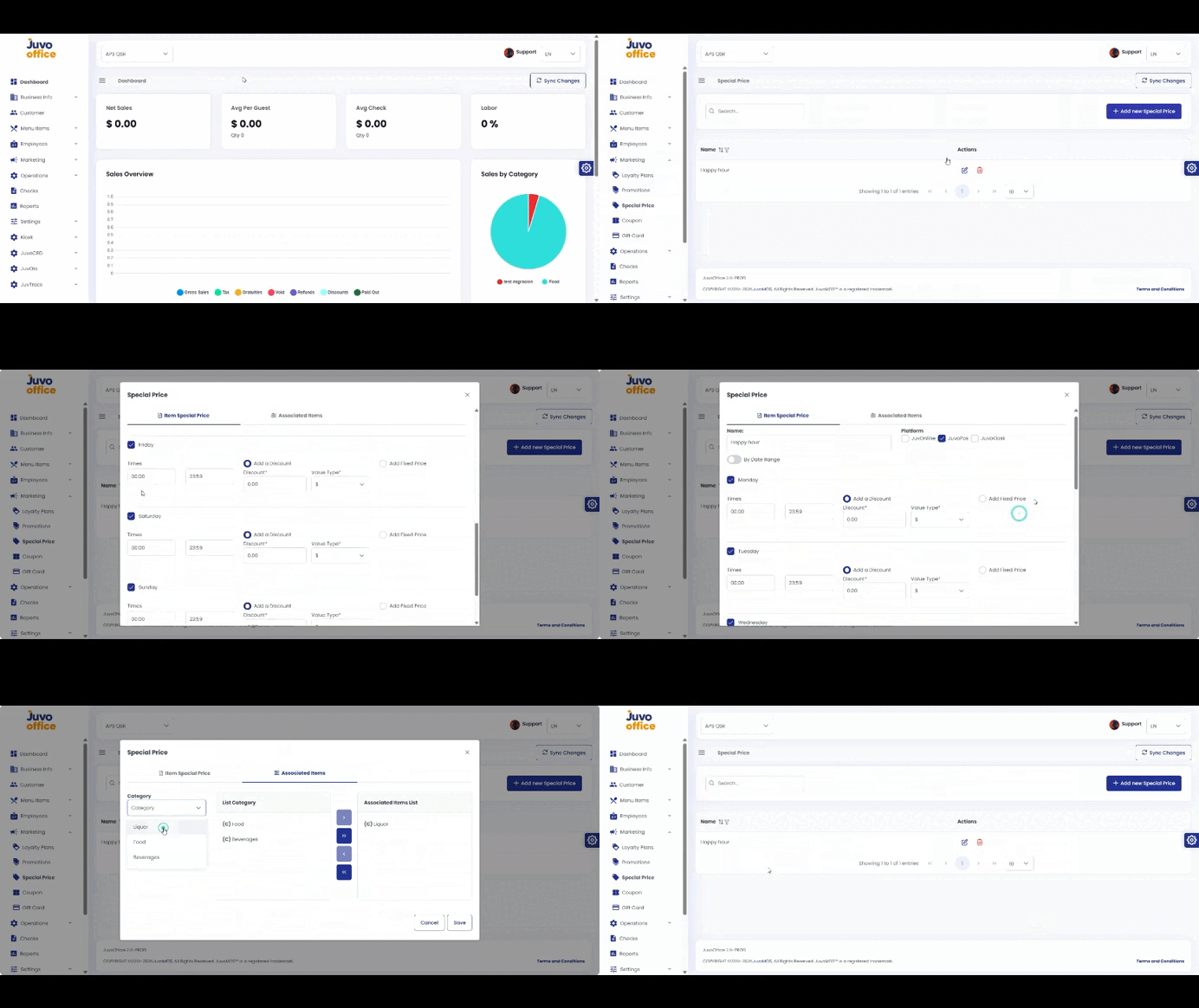
Create scheduled special prices such as Happy Hour offers.
- Open Marketing → Special Price.
- Create a configuration and enter its name.
- Select the platforms.
- Set a date range or days of the week and a time range.
- Choose Amount, Percentage, or Fixed Price.
- Select categories, subcategories, or menu items.
- Review and click Save.
Juvo destinations
Need something else?
Access the Juvo Back Office or connect with our sales team.